
Enercon E-Nacelle wind turbines v2.2 – FS22
Update 2.2.0.0:
At the end of FS22 there is a final update for this mod, no more (including for the other mods) will follow. I don’t yet know what will happen in FS25.
I would like to thank everyone again who has responded to my mods in any way. Although I haven’t been as active this year, I still had a lot of fun creating all of these systems in the two years before. And of course I was happy that one or two people liked my work!
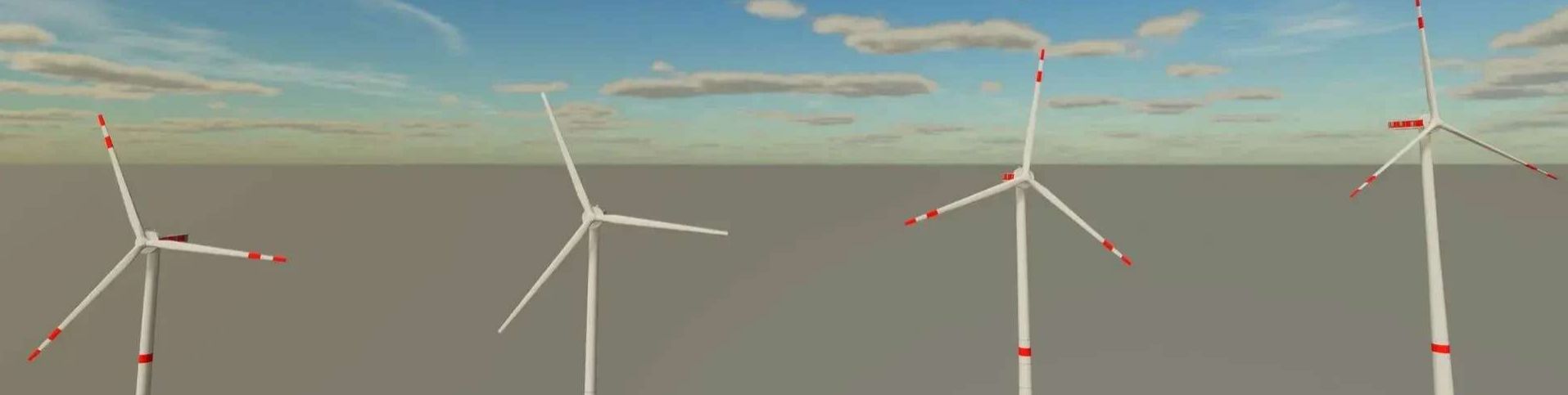
This mod consists of 4 wind turbines equipped with the newly developed E-Nacelle by Enercon.
The following are the features of the systems:
– All systems align themselves with the wind and change their speed depending on the wind speed.
– Anemometers are animated and adapt to the wind speed.
– Obstacle markings adapt to the lighting conditions in the different seasons.
– The purchase price and the income of the individual systems are now calculated based on the defined nominal power, the length of the rotor blades and the height of the tower.
This means that the purchase price is calculated as follows: €100,000/1000kW nominal power + €500/1m rotor blade length + €100/1m tower height.
The income is made up of 1000€/1000kWh (the nominal power is used as the value) + 5€/1m rotor blade length + 1€/1m tower height.
– It is possible to switch off ALL systems “visually”. For this purpose, there is a trigger in front of the door at the foot of the tower of EVERY system, where you can switch the systems on and off using the left mouse button or the B button on the controller. The rotor blade position changes for this, and the rotor only spins slightly. The systems still generate money, so only “visually”. As far as I know, this cannot be implemented any other way; after all, you have to take into account that FS22 is an agricultural simulation and not a wind power simulation.
– If you have several systems, you can switch between the version with German obstacle markings or the one with international markings.
– I have decided on completely white systems with daytime lighting during the day and tower and machine house lighting at night. I am aware that this is not applicable to all countries, but many still use this type of obstacle marking.
– For this purpose, a second trigger was added in front of the door at the base of the tower. The trigger for switching the system on and off was placed slightly to the left. The new trigger is oriented slightly to the right. The trigger zones “touch” each other on the center axis of the door. The right mouse button or the X button on the controller was selected as input.
The following systems are included:
E115 EP3 E4: 77m(***) and 92m(***) hub height (rated power: 4.26 MW)
E138 EP3 E3: 81m(***), 99m(***), 111m(***), 131m(***) and 160m(*) hub height (rated power: 4.26 MW)
E160 EP5 E3: 99m(***), 120m(***) and 166m(*) hub height (rated power: 5.56 MW)
E160 EP5 E3 R1: 99m(***), 120m(***) and 166m(*) hub height (rated power: 5.56 MW)
E175 EP5: 112m(***), 132m(***), 162m(*) and 175m(*) hub height (nominal power: 6.0 MW)
Legend:
(*): German obstacle marking.
(**): International obstacle marking.
(***): You can switch between the two.
PLEASE NOTE:
These are not detailed images of the real models. Only the hub height, the rotor diameter and the rough appearance are based on the real images!
This mod may be posted on other websites as long as the download leads to the LS-Modcompany download link!!!
I hope you have fun! If you have any questions or suggestions, please feel free to leave a comment!

 Loading...